
 See Our Latest Article on HelloNation
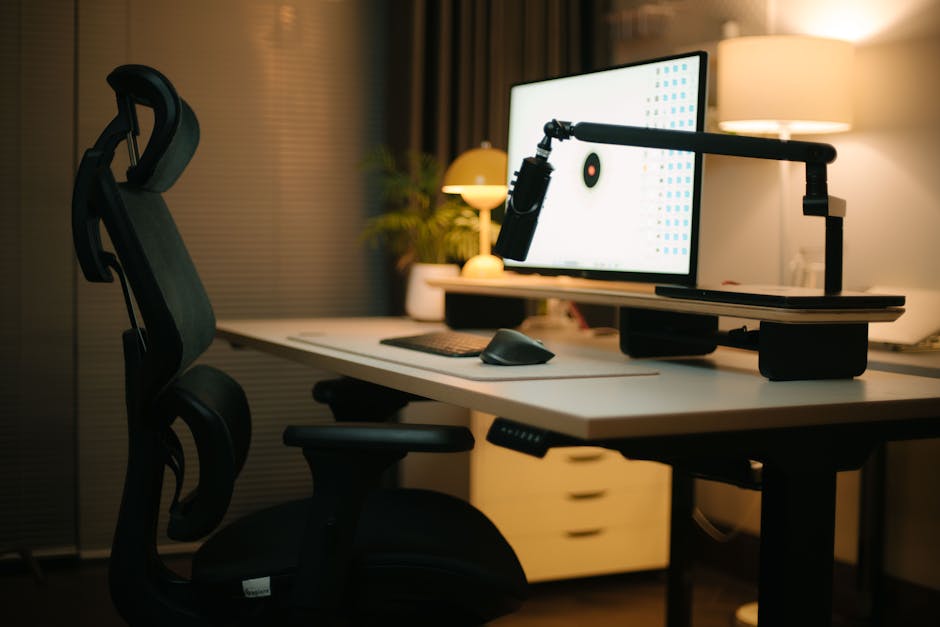
Introduction: Why Your Workspace Matters
For those living and working in Red Hook, NY—a picturesque Hudson Valley town known for its blend of rural charm and bustling small businesses—the workspace isn’t just where you spend hours on end; it’s a foundation for long-term spinal health. Whether you work from a cozy home office looking over the hills, or in a classic brick building along Route 9, how you set up your workspace greatly influences your comfort and well-being. As a chiropractor with years of experience serving Red Hook residents, I see daily how poor work habits and improper setups can contribute to back, neck, and even headache problems.
Understanding Spine Health at Work
Our modern lifestyles often demand long hours at desks, which isn’t what our bodies were built for. Slouching at the computer, craning your neck to squint at a screen, or sitting in an unsupportive chair will, over time, stress the spine and associated muscles. In Red Hook—where lifestyles range from longtime farmers and artisans to remote professionals relocating from NYC—many don’t realize just how much their work setting impacts their health.
Risks of Poor Ergonomics
- Chronic lower and upper back pain
- Neck stiffness
- Carpal tunnel syndrome and other repetitive strain injuries
- Headaches and fatigue
- Reduced productivity and mood
Tips to Make Your Red Hook Workspace Spine-Friendly
Creating a spine-friendly workspace doesn’t require expensive equipment or a total office makeover. Small, consistent changes often yield the biggest results.
1. Find the Right Chair
A proper chair provides the best foundation for your spinal health. In Red Hook, you may prefer sturdy vintage furniture, but not all antique chairs are suited for long workdays.
- Choose an adjustable chair with lumbar support.
- Ensure your feet are flat on the ground or on a footrest.
- Your hips should be slightly higher than your knees to prevent slumping.
- If possible, support your lower back with a cushion or rolled-up towel.
2. Adjust Your Screen
Working on a laptop at the kitchen table or nestled in a local cafe like Taste Budd’s isn’t unusual around here, but take a moment to check your screen height.
- The top of your monitor should be at or just below eye level.
- Position the screen about arm’s length away.
- Use a laptop riser or even a stack of local books to achieve the correct height.
3. Desk Set-Up: Get Creative
Space can be limited in Red Hook’s historic homes, so flexibility matters. If you’re working from your farmhouse, attic, or backyard shed, consider the following:
- Keep frequently used items within easy reach—no excessive twisting or stretching.
- Use an adjustable keyboard tray if possible.
- Ensure ample leg space under the desk for comfortable movement.
4. Stand Up and Move
No matter how beautiful your view may be—from Poets’ Walk to Tivoli Bays—a sedentary routine is a top contributor to spine issues.
- Set a timer to stand up at least every 30-60 minutes.
- Consider a standing desk or alternate between sitting and standing.
- Walk around while taking phone calls or listening to online meetings.
- Take advantage of Red Hook’s scenic walking trails during your lunch break.
5. Lighting Matters
Red Hook’s variable seasons can impact your workspace lighting. Poor lighting causes you to lean forward or squint, straining your neck.
- Place your desk near a window for natural light, but avoid glare on screens.
- Use an adjustable desk lamp.
- Position lighting so you can see clearly without hunching forward.
6. Mind Your Posture
Even the best workspace won’t help if you maintain poor posture. In our vibrant Red Hook community, healthy habits start with self-awareness.
- Sit upright, with shoulders relaxed and back supported.
- Keep your head aligned over your shoulders—not jutting forward like a turtle!
- Avoid leg crossing; keep both feet on the floor instead.
Easy Stretches and Microbreaks
To reduce pain and boost focus, incorporate gentle spinal stretches and microbreaks throughout your day. Here are a few that work well—even in small spaces:
- Shoulder shrugs and rolls
- Neck stretches (gently tilt your ear to your shoulder, hold, then switch sides)
- Seated spinal twists
- Standing back bends (place hands on your hips and gently arch backward)
- Wrist and finger stretches
Spend just 1-2 minutes every hour doing a few of these while standing up—your spine will thank you by the end of the day.
Special Considerations for Remote Workers in Red Hook
With more residents than ever working remotely, the home office setup is a hot topic in Red Hook. Whether you’re telecommuting for Bard College, a Hudson Valley nonprofit, or a New York City tech startup, these tips can make any workspace—rural or urban—healthier for your spine.
- Invest in portable or foldable ergonomic gear if you move often between your home, local coffee shops, and co-working spots.
- Don’t underestimate the effect of home distractions—ensure your workspace is in a designated, comfortable area.
- Freshen your workspace by opening a window to let in crisp Red Hook air or adding a plant for mental well-being.
When to Consult a Professional
No DIY setup can correct persistent back or neck pain on its own. If you’re experiencing recurring issues, numbness, tingling, or significant discomfort, it’s time to visit a healthcare professional. As your local Red Hook chiropractor, our doors are always open to discuss your specific needs and provide personalized solutions tailored to our unique community.
Conclusion: Build a Healthier Work Life in Red Hook
A spine-friendly workspace isn’t just about comfort—it’s about creating a healthier work life that lets you enjoy everything Red Hook has to offer, from lively farmer’s markets to peaceful walks along the river. With a few thoughtful adjustments and mindful habits, you can prevent back pain and create a productive, positive workspace wherever you are. Remember, small changes can yield big returns for your spinal health!
